
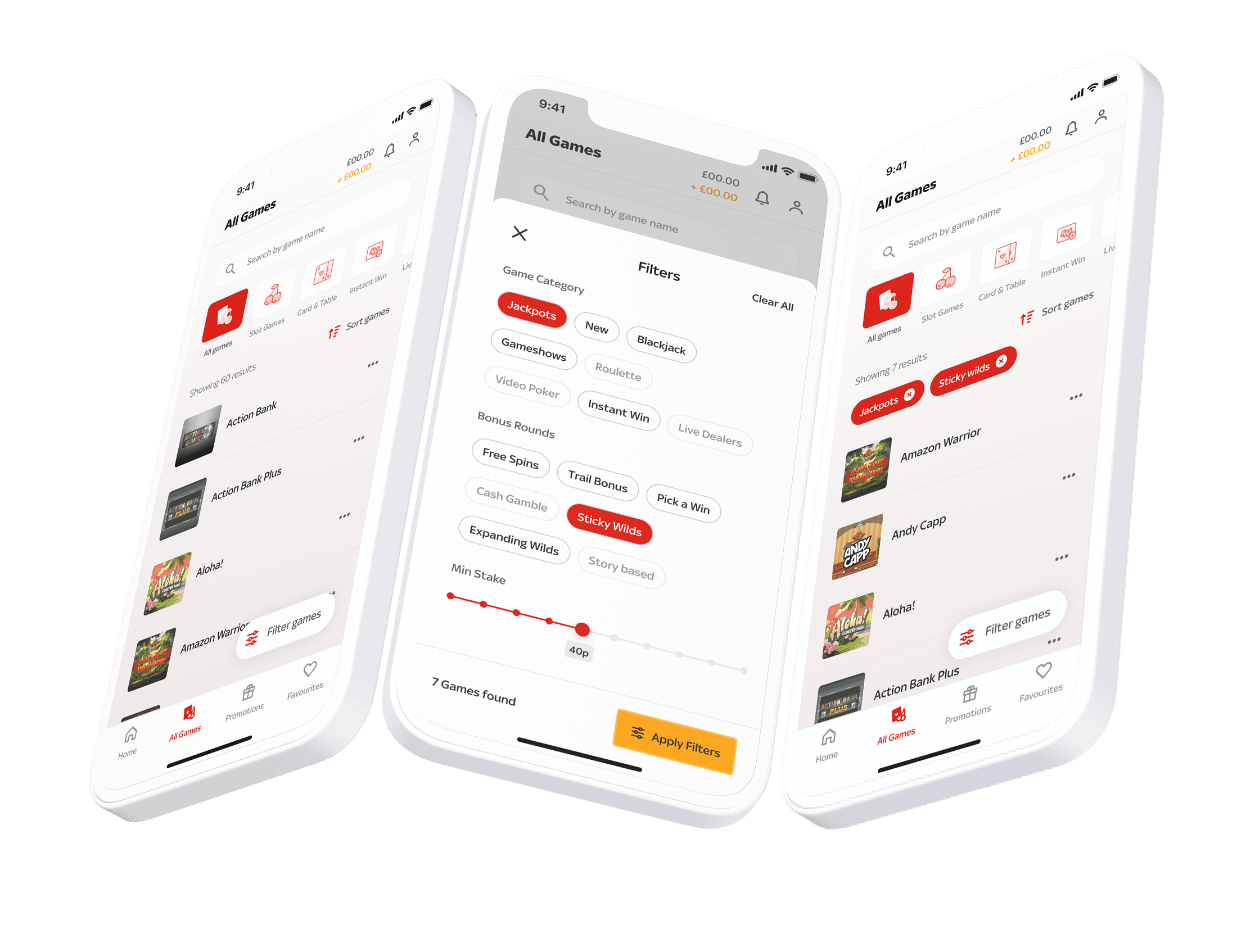
Build an experience that makes it easier for users to find a game they will love.
Role
Product designer
Product design
Project management
User research
Visual Design
Interaction Design
Prototyping
Web | iOS | Android
Summary
The Challenge: The "All Games" page was a high-traffic but low-conversion hub. With hundreds of titles, users felt overwhelmed (choice paralysis), and performance issues on mobile were driving bounce rates up.
The Action: I led a complete redesign of the game discovery architecture, implementing a high-performance smart-grid system, intuitive filtering, and a data-driven search experience.
The Result: A 640% increase in "Game Launches" and a 45% reduction in time-to-first-play. We also achieved a 87% CSAT score when users interacted with this updated page.
Context
The business had been working on a new tech stack to update parts of the site, one of them being a new API data infrastructure tied with our games. A very simplified overview to this is it attaches lots of different data points to each game. This creates a big opportunity for us to create a better experience for our user base, throughout the whole site, examples are findability and discovery features.
Problem
Before we tackled any new product experience, there were multiple asks across the business where this could be placed to make an impact. All teams having different priorities and asks on what can be improved. My role was to make sure all relevant stakeholders were involved discussing priorities and getting insight into their wants and asks.
Conducted workshops with various functional teams individually across the business to find commonalities, foster alignment and reasoning on the priority.
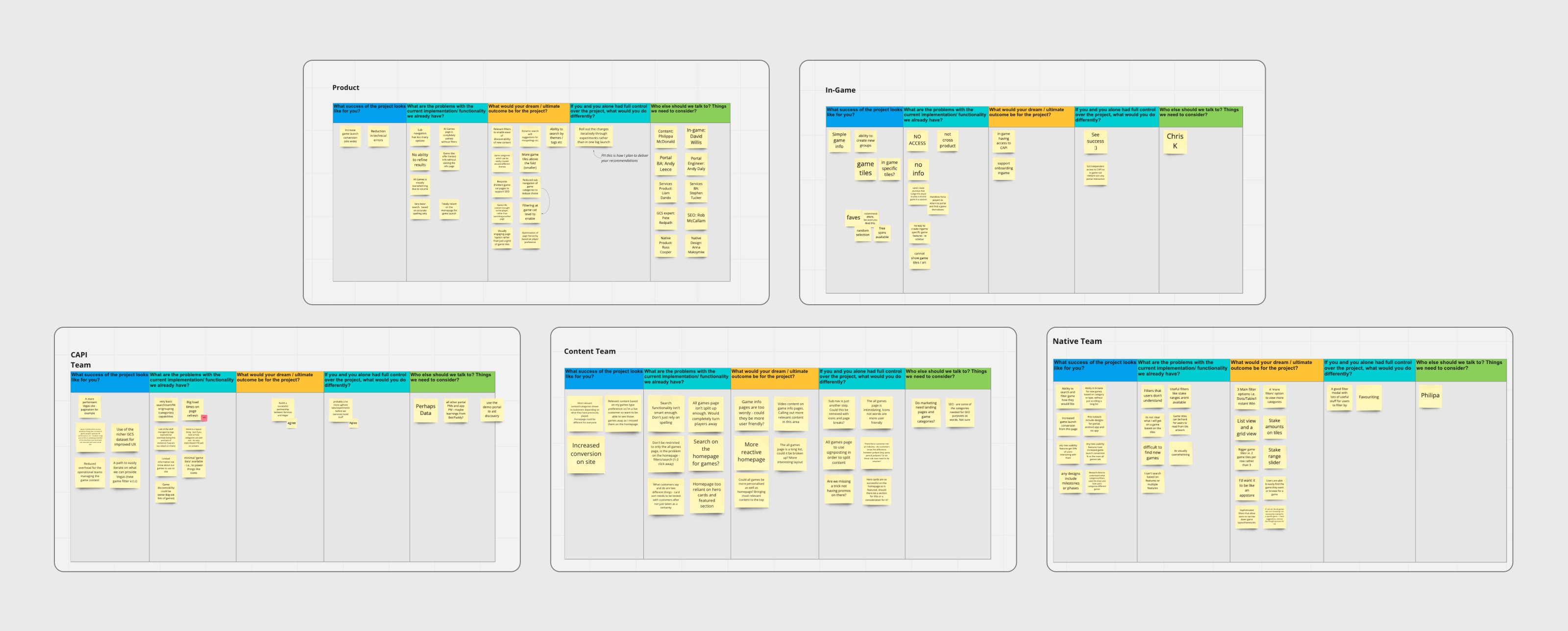
Individual workshops examples in Miro
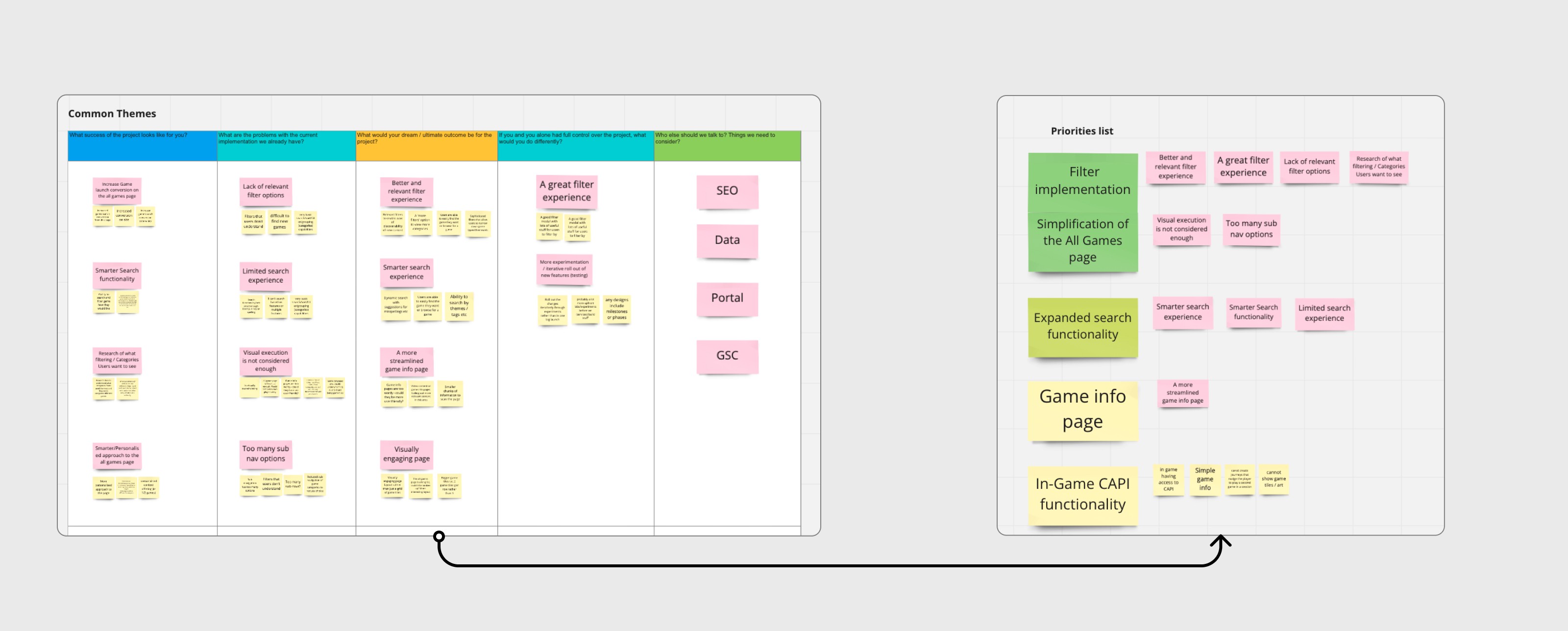
.
I conducted multiple workshops with different teams that have a deep understanding of their area of business it would impact, I decided to do multiple workshops with each team to give them the opportunity to speak freely and get their priorities across without any influence of other teams swaying their opinions and thoughts.
Once all these were conducted I set to find common insights and opinions that were shared across each team, and start building out an idea of what area of site we could tackle first.
Opportunities
Outcome decided from the workshop on the priority feature.
• Filter implementation on 'All games' page
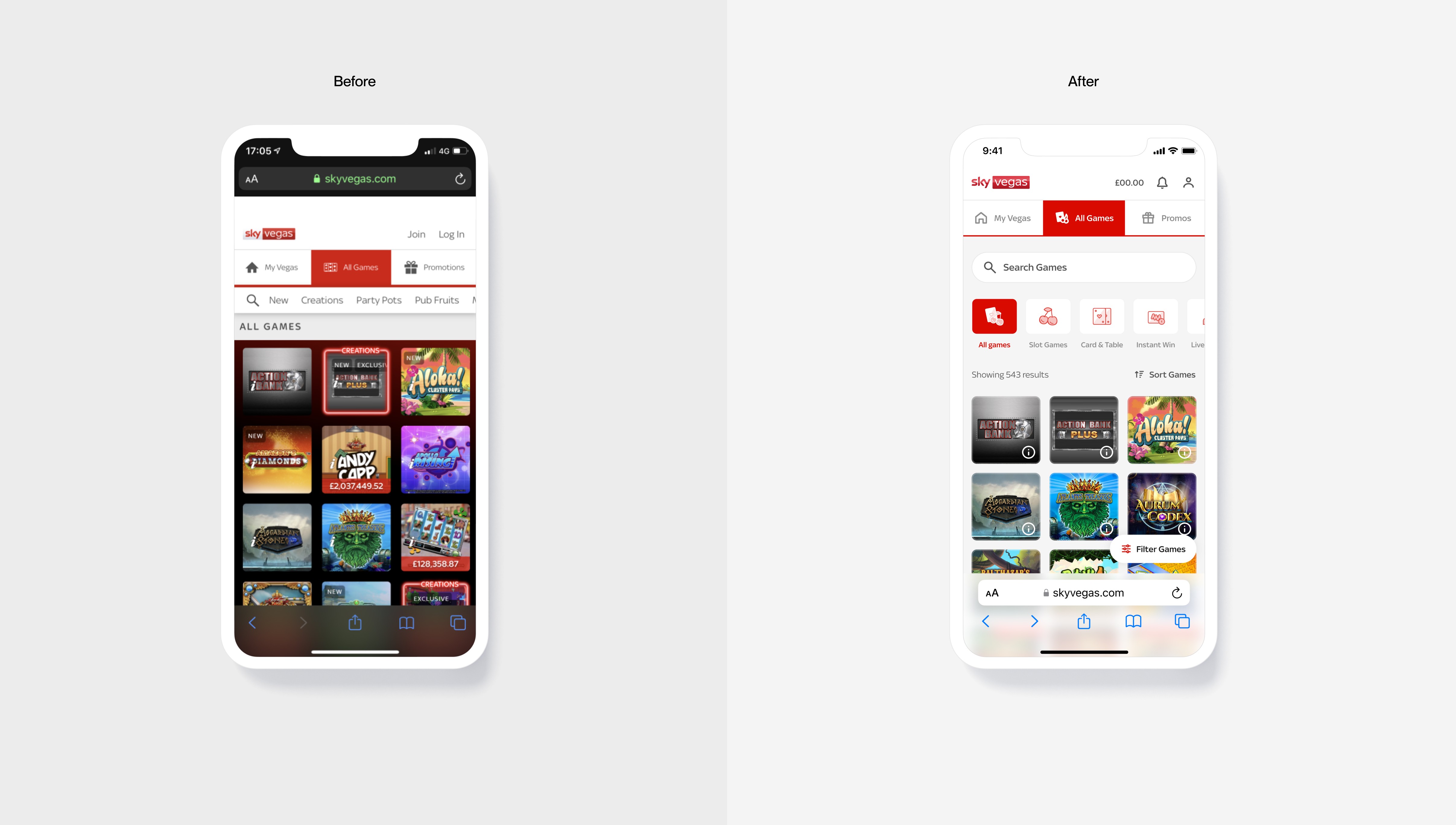
• Simplification of the 'All games' page
Discovery
To gain a better understanding of what data points are useful for our users, we conducted research. Along with our user researchers we conducted a series of different research methodologies that needed to be conducted to inform our approach to the 'All games' page and introducing filters.
A mixed methods approach was conducted with our user researchers.
Research conducted
• Current information architecture of the page
• Card sorting - Mental model of the categories
• Filters usefulness matrix
Key insights from the research
Confusion around certain categories and understanding.
Duplication caused a lot of confusion.
Confusion around where to place certain games into categories.
Define
Collating our findings from our researchers we’ve gained an understanding and found great insights to build some key opportunity areas.
Our key opportunity areas to work from

Simplify the categories
Users find it easier to make decisions and get less confused with options. Make the sub nav of categories much smaller since it’s the first point of call.

Showing relevant filters
Only show filters that our users find useful and would potentially use when finding a new game and that had a good understanding overall.

Test and learn
Some of the preferences is case by case and can’t be all fits one, however we should design for the 90% of the customer base and test along the way.
Ideation
Designing with a user centric mindset, I create wireframes to experiment with the information architecture, category refinement and filter implementation,
This helped steer early conversations with stakeholders to get buy in at an early stage before high-fidelity design.
Wireframe refinement
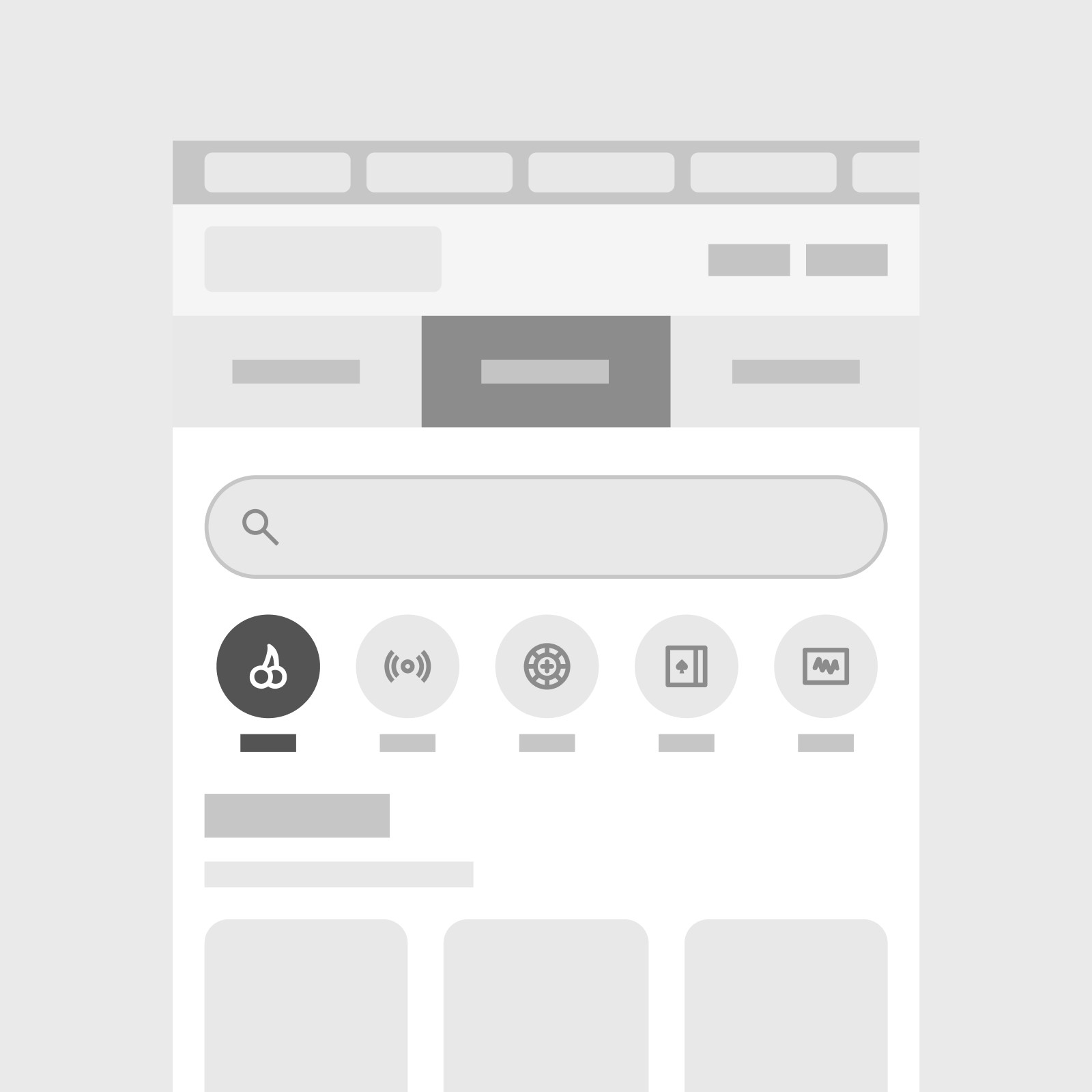
Navigation between major game categories
Considering the research insights, the best approach was to use less categories, the one that came out on top was the 4-5 tab approach, however, with 'Live' being a business priority at the moment it was essential having live as a sub nav item.
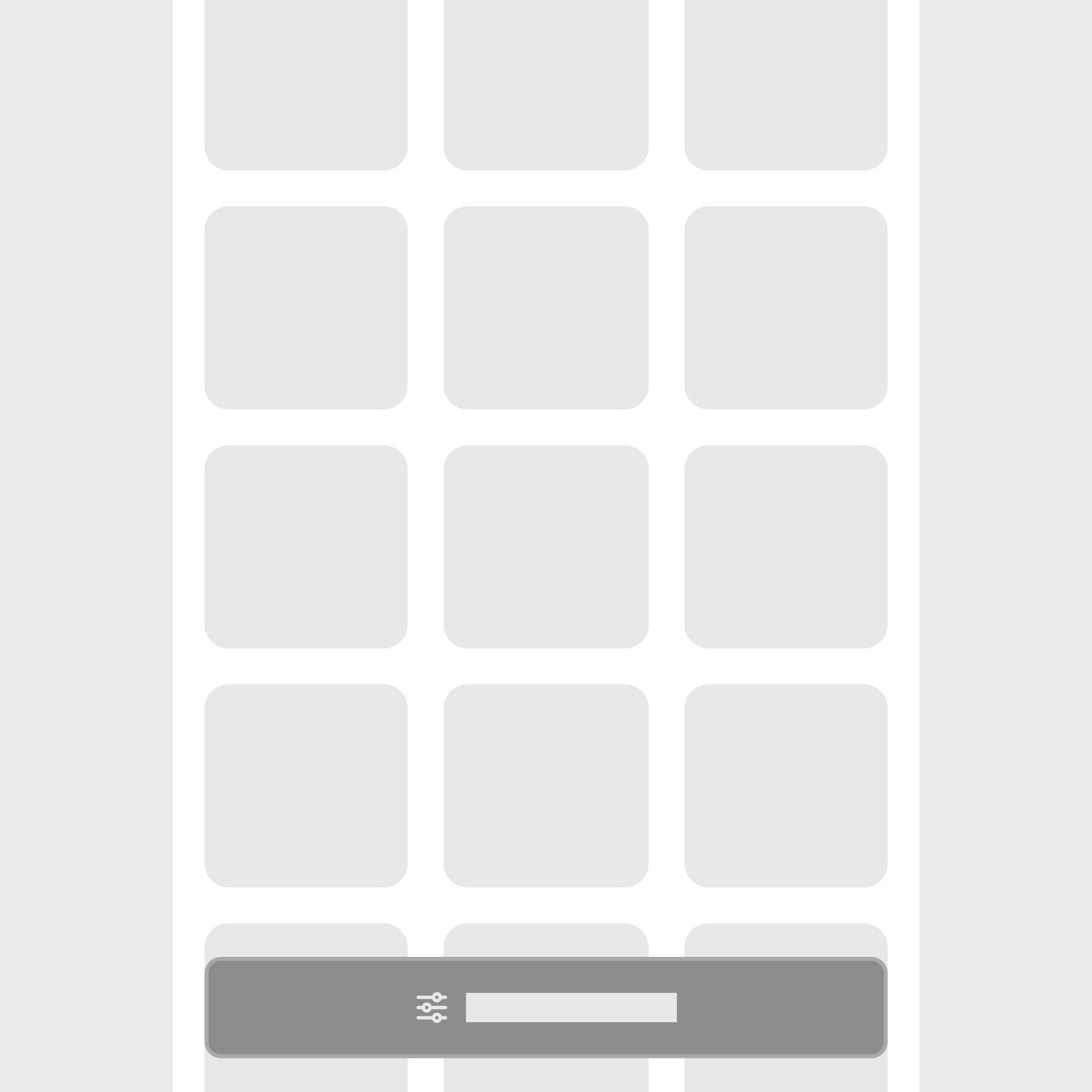
Filter placement
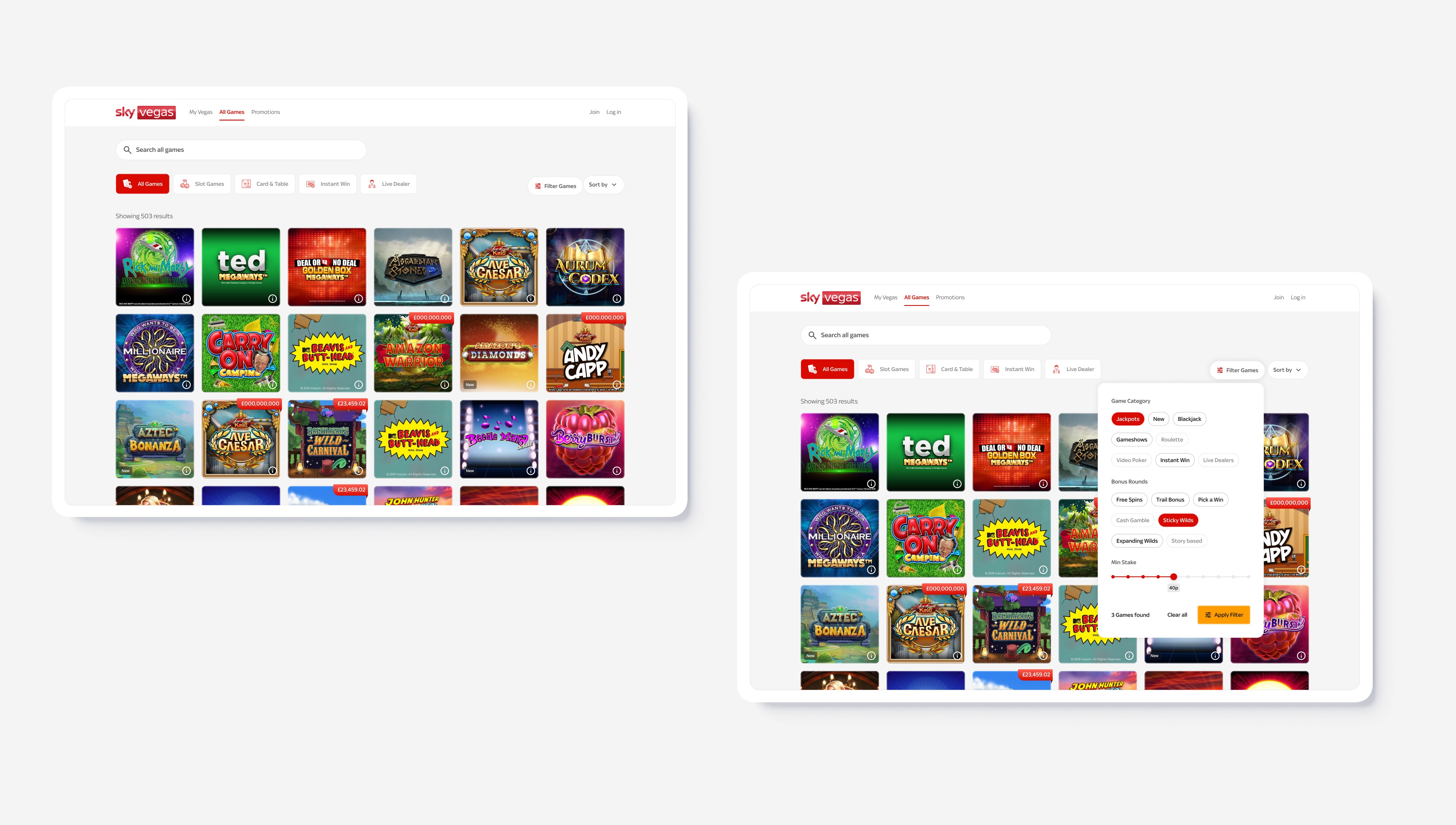
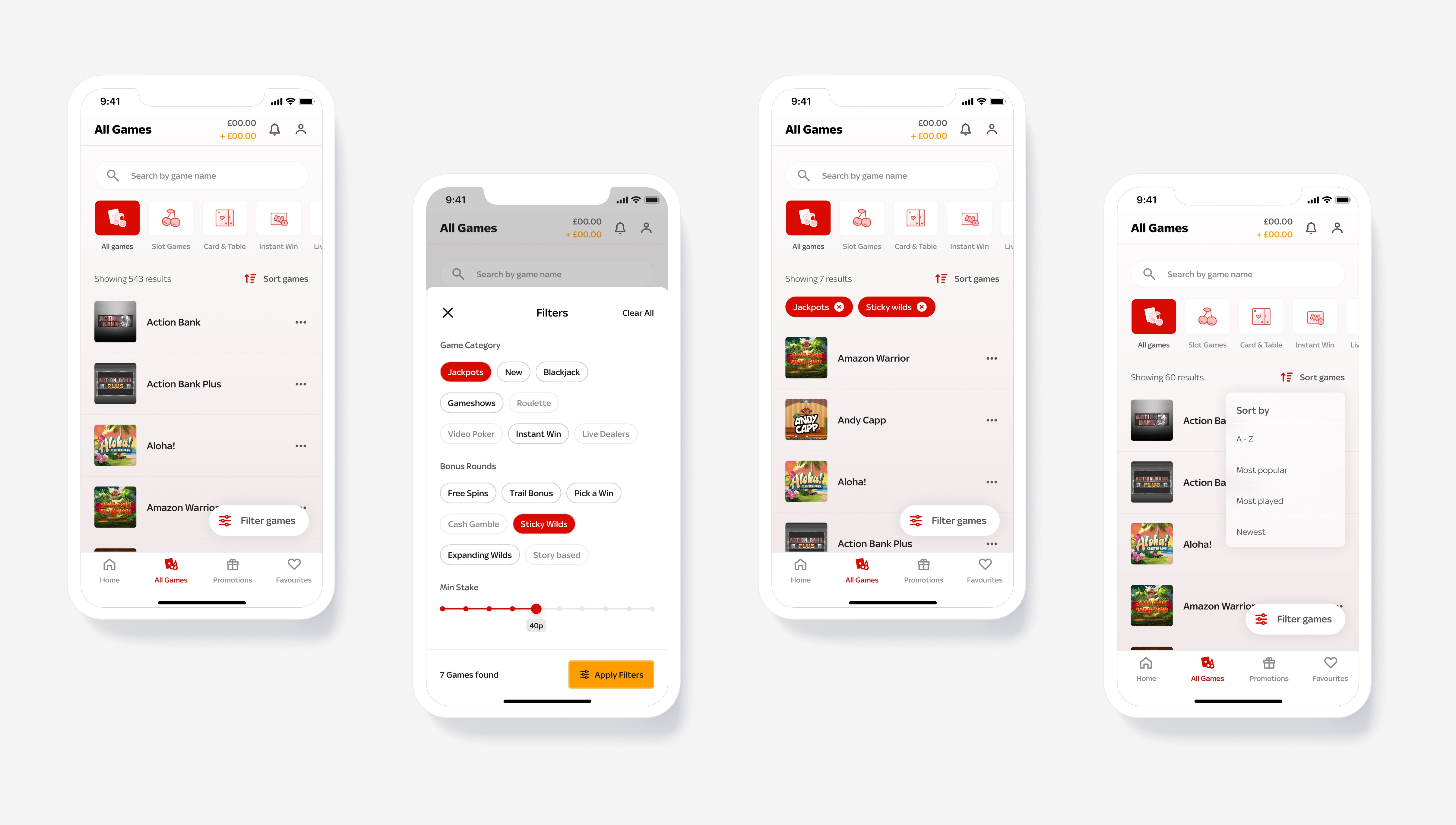
Moving forward, the sticky nav seemed the best solution due to its ease of access when scroll through the games list. However, this will be tested in different variations.
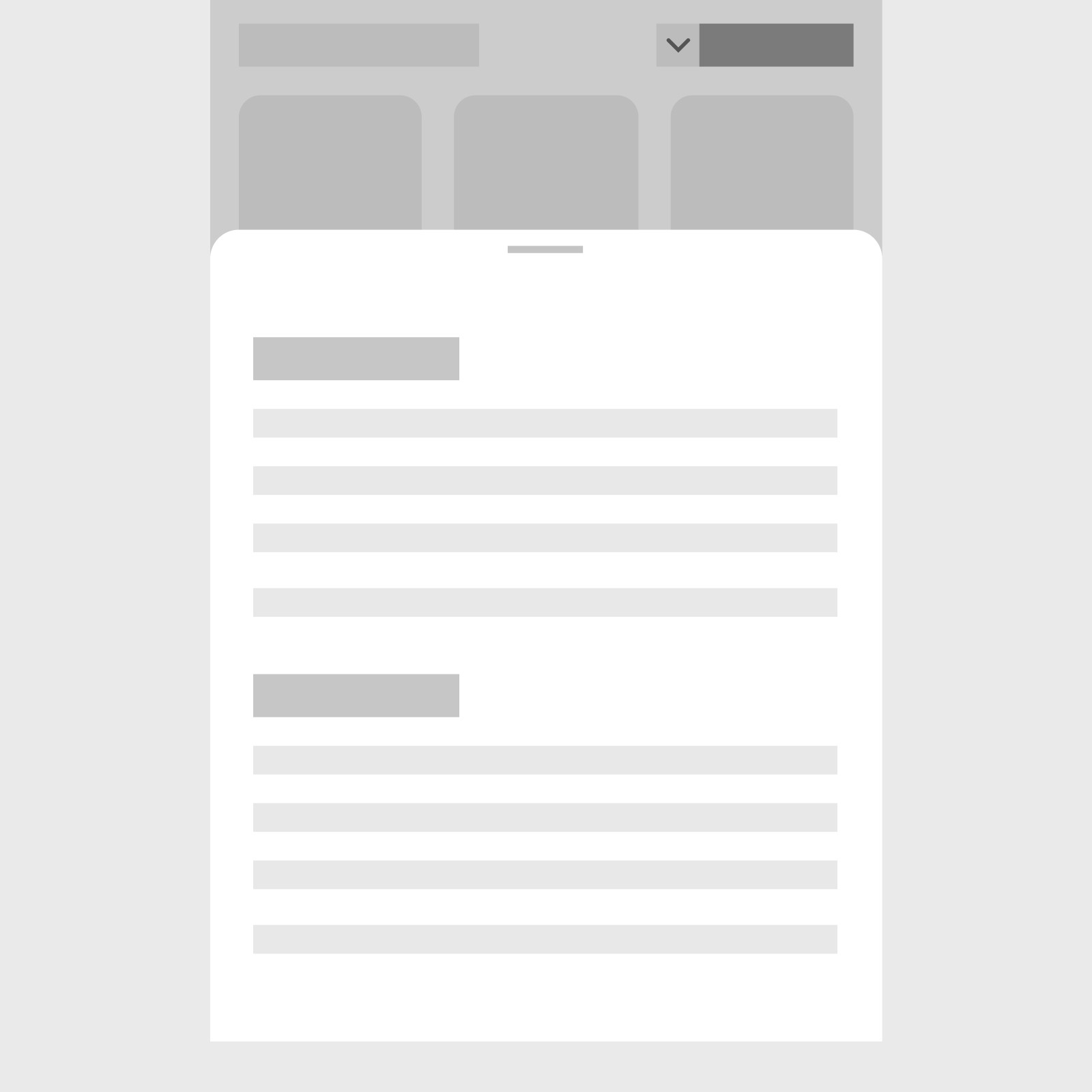
Filter menu exploration
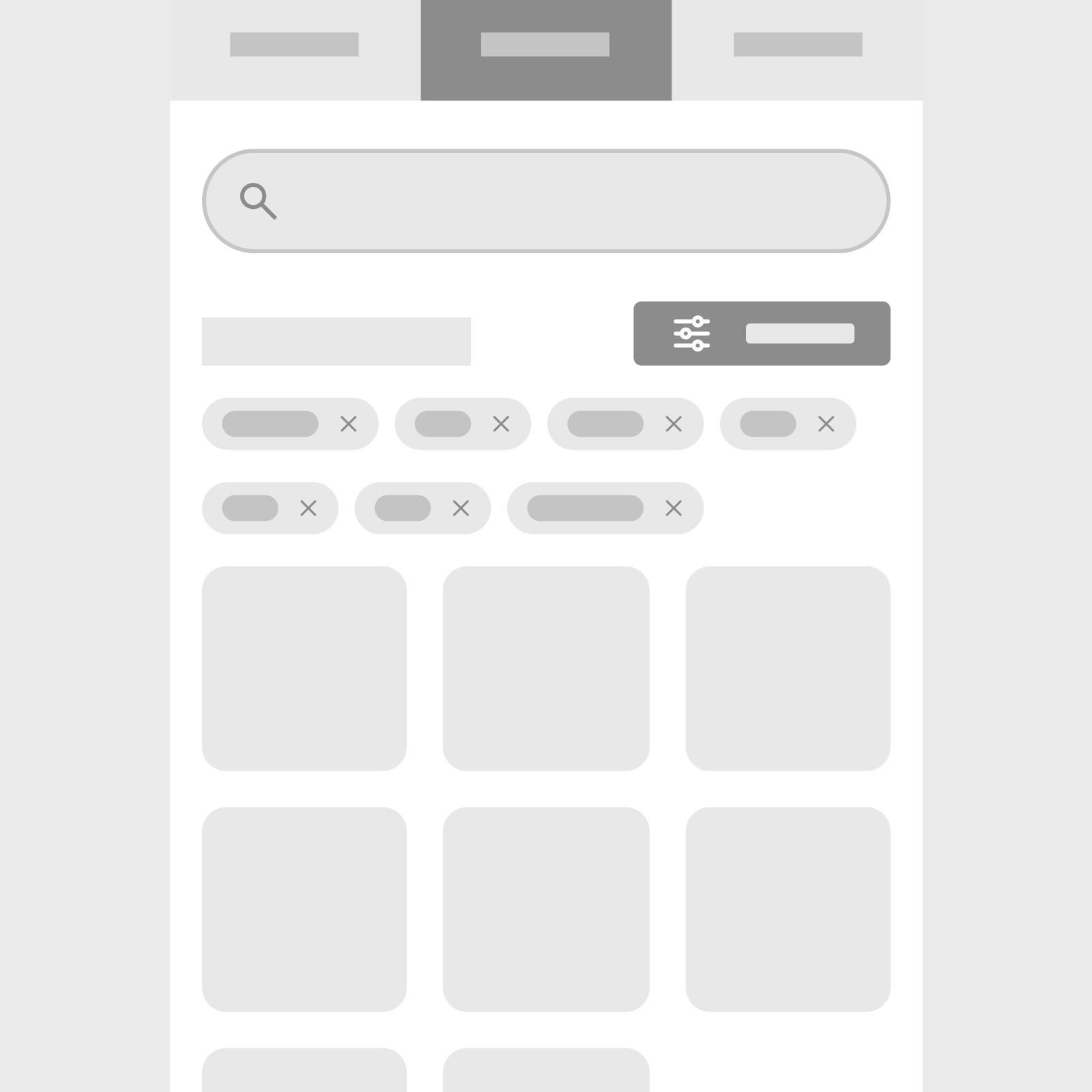
Filter tags on results page
I wanted to create an experience that has minimal friction between choosing and dismissing filters to find a game. Implementing a view of the filters chosen on the result page where users can easily snap the filters off, to alter search results.
Prototype
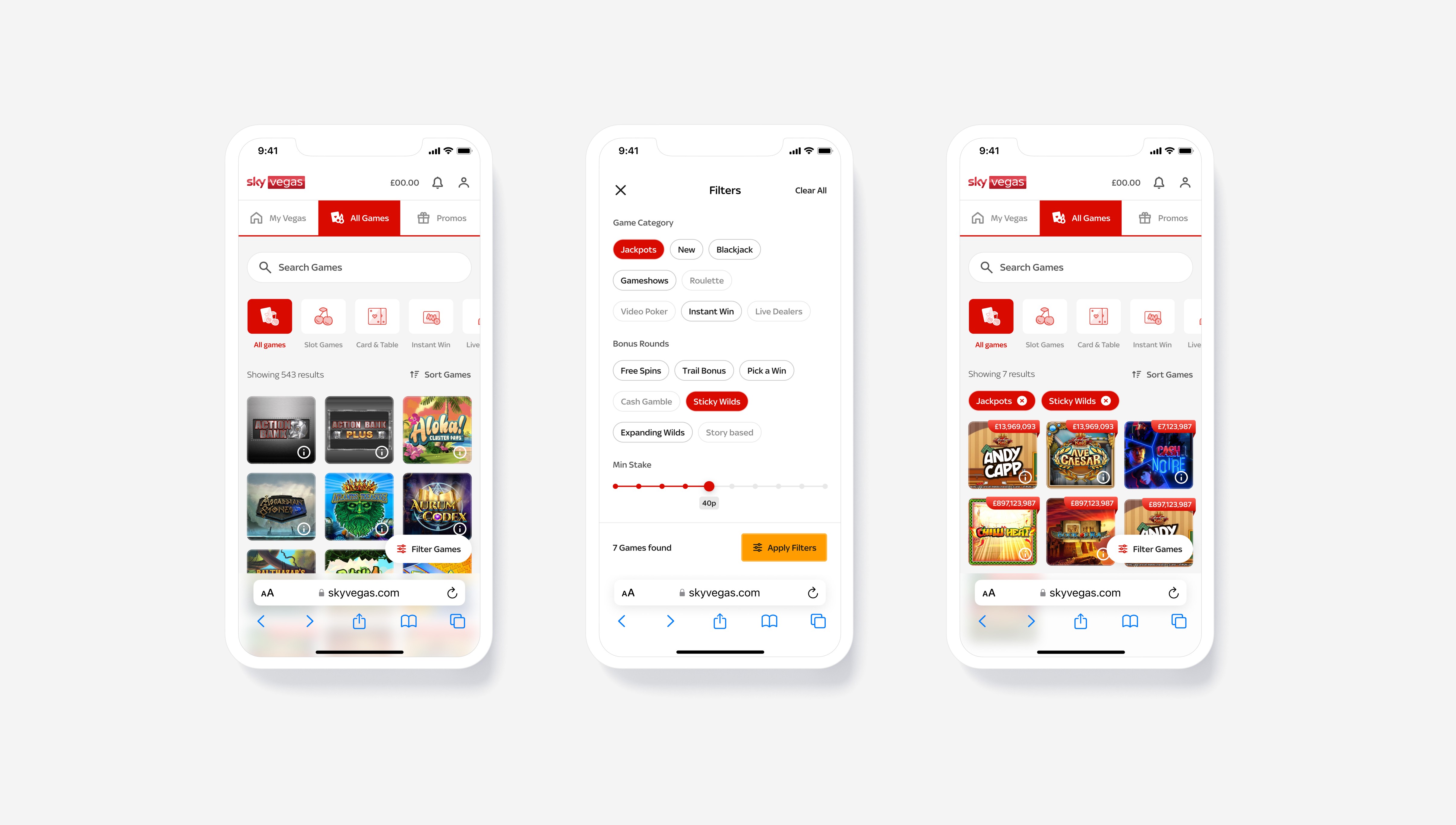
Creating a richer experience before going to test was required, our team find this usually leads to a better understanding of tasks and less confusion overall.
Using low-fidelity prototypes to test usually result in poor qualitative feedback in our past tests. Therefore, I proceeded with crafting the high-fidelity designs from the wireframes to take usability & preference testing.
Test
A range of design executions and considerations was tested to inform some design decisions, as well as testing the usability of the journey and findability of certain new items that have been introduced on the page.
Three core features to validate
Category understanding
Testing usability and understanding of categories that might be misunderstood.
Testing usability and understanding of sorting games.
Testing usability and understanding of filtering. Also, concept testing different executions of the filter placement and design.
Category understanding insights
To make sure our users had a good understanding of what the categories are and where to find certain games within them. We set some tasks for users to find our least understood categories to find it there was any concern around them.
Results
There was no major concern over users finding the correct category as the majority found the correct area or found the filter menu to help them find that game within the task.
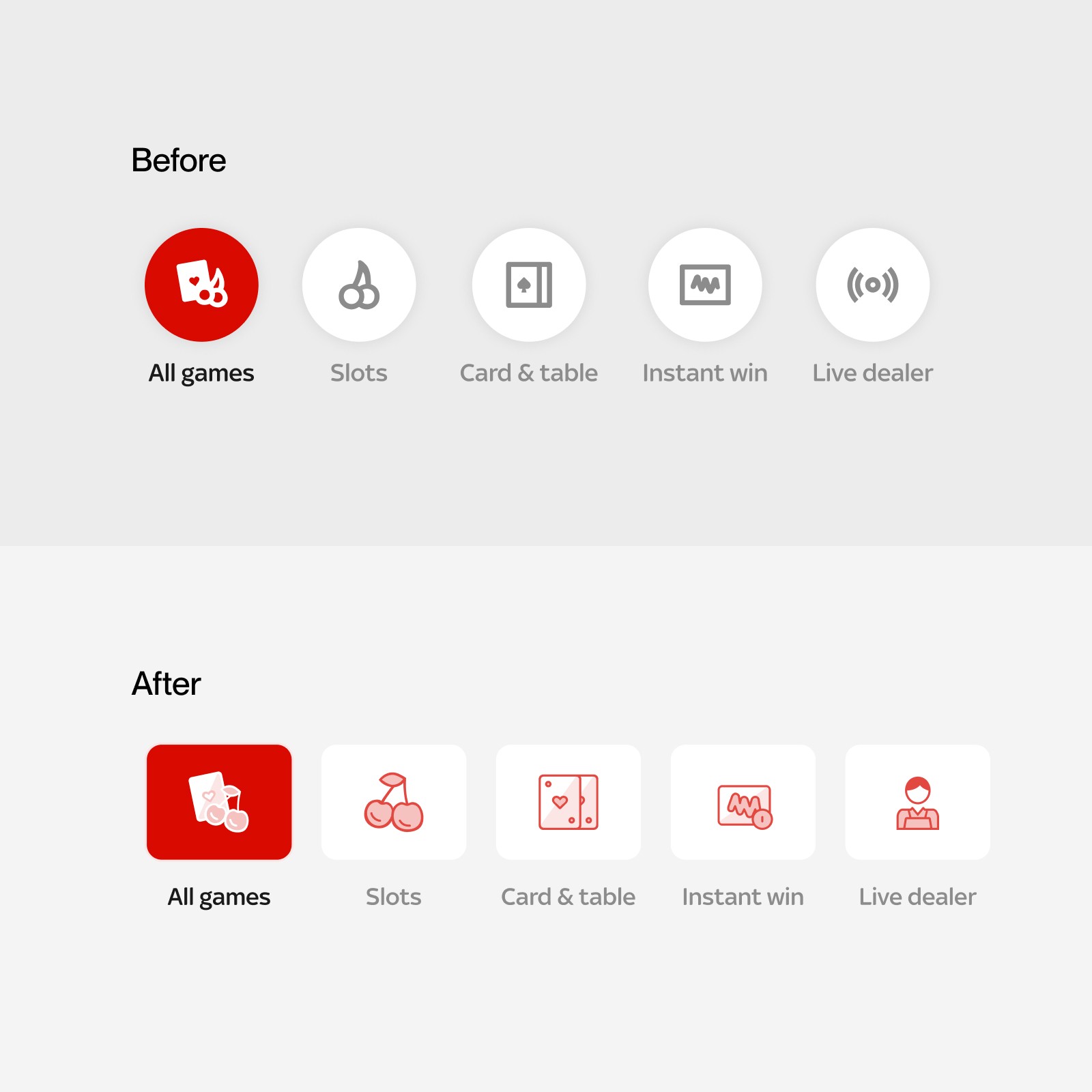
However, we asked users to leave some qualitative feedback and there was some comments around the confusion of the icons, as a result I set to create a bespoke set of icons that illustrate more of the details so there is less ambiguity to what the category icon means. Paired with the label it gives a greater understanding. I tested the designs again, this made an increase in the success rate.
Sort games insights
During design explorations I found different executions from competitors and comparators of where the sort functionally is placed. Either within the filter menu or outside of this in the title area. I set out a simple user task to compare the designs to find out if there would be any major difference for our user base. Users were tasked with organising the game list from newest games.
Results
The success rate of the task was extremely high on both design ideas, however the design of the sort functionality, in the title area was found to be the quickest task completion due to its visibility and ease of access.
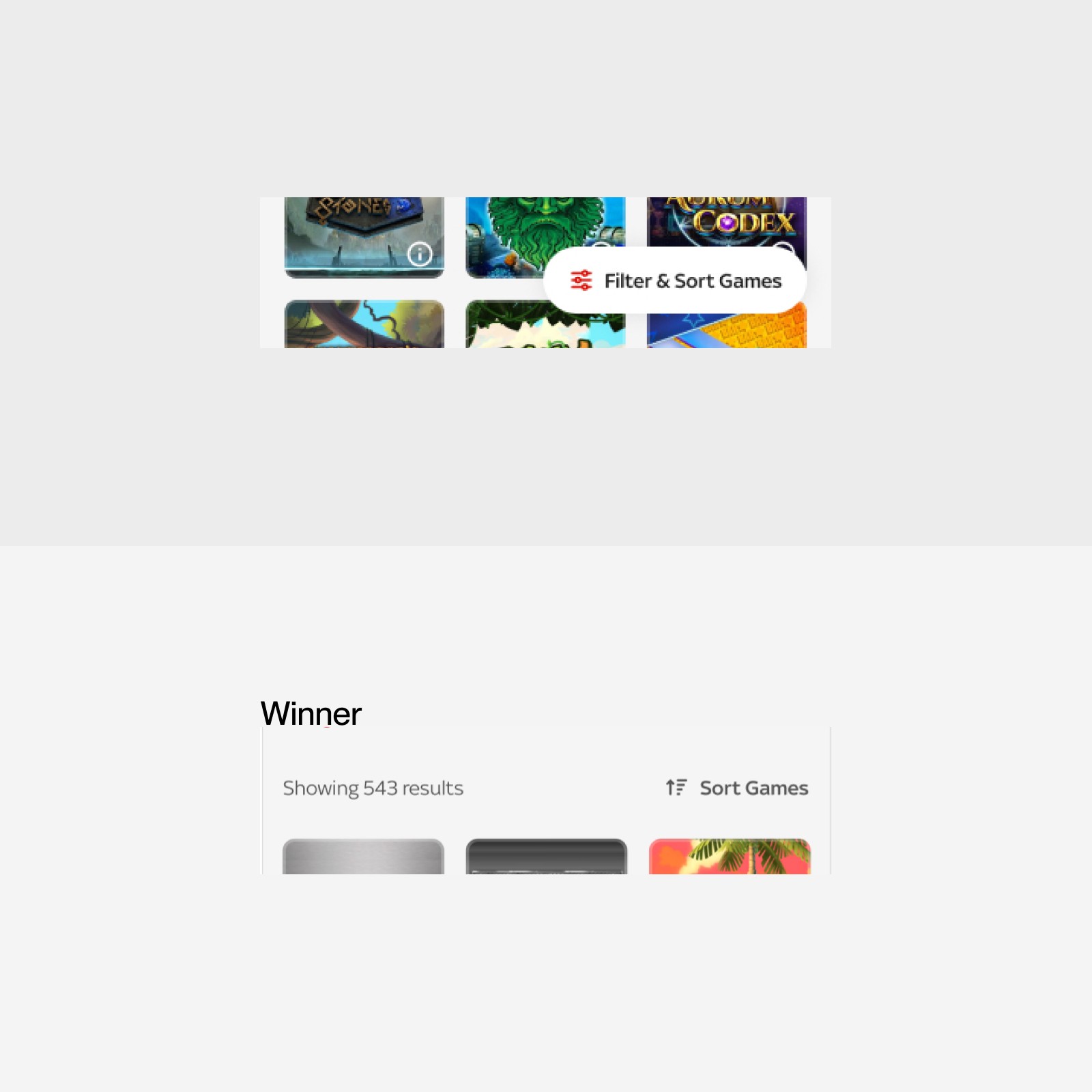
Filter usability + concept testing insights
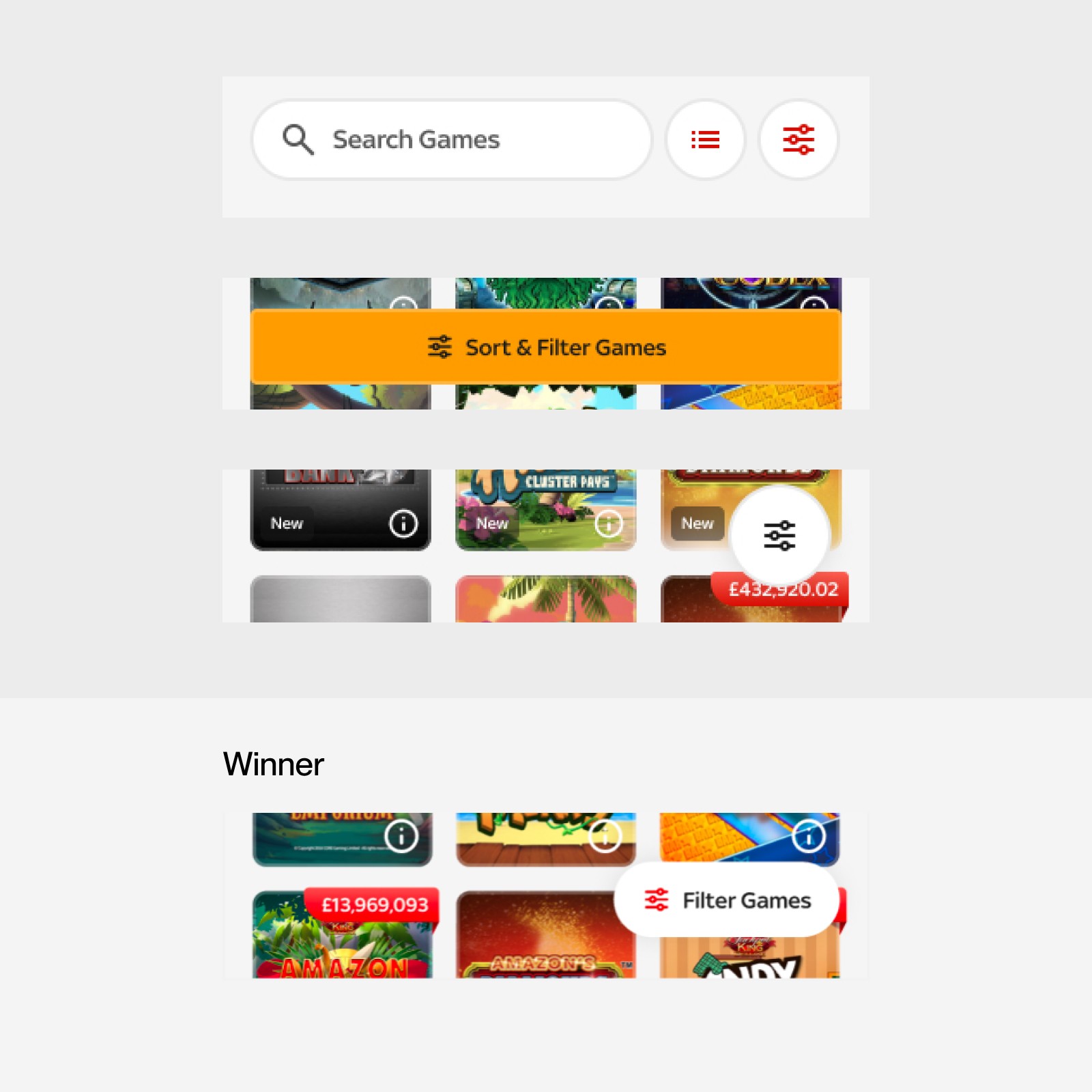
I had a range of filter placement and executions to test with users to validate the designs and take them through a task asking them to find a group of game within the filter menu, I measure success based on task success rate and time taken.
Results
The results were in favour of the executions with the label ‘filter’ as a good number of users were confused by just the icon with no label. The winner was the pill execution as this stands out more against the colourful artwork in the background and has the label within. Once users found the filter menu, they found the group of games easily.
Slider design preference testing
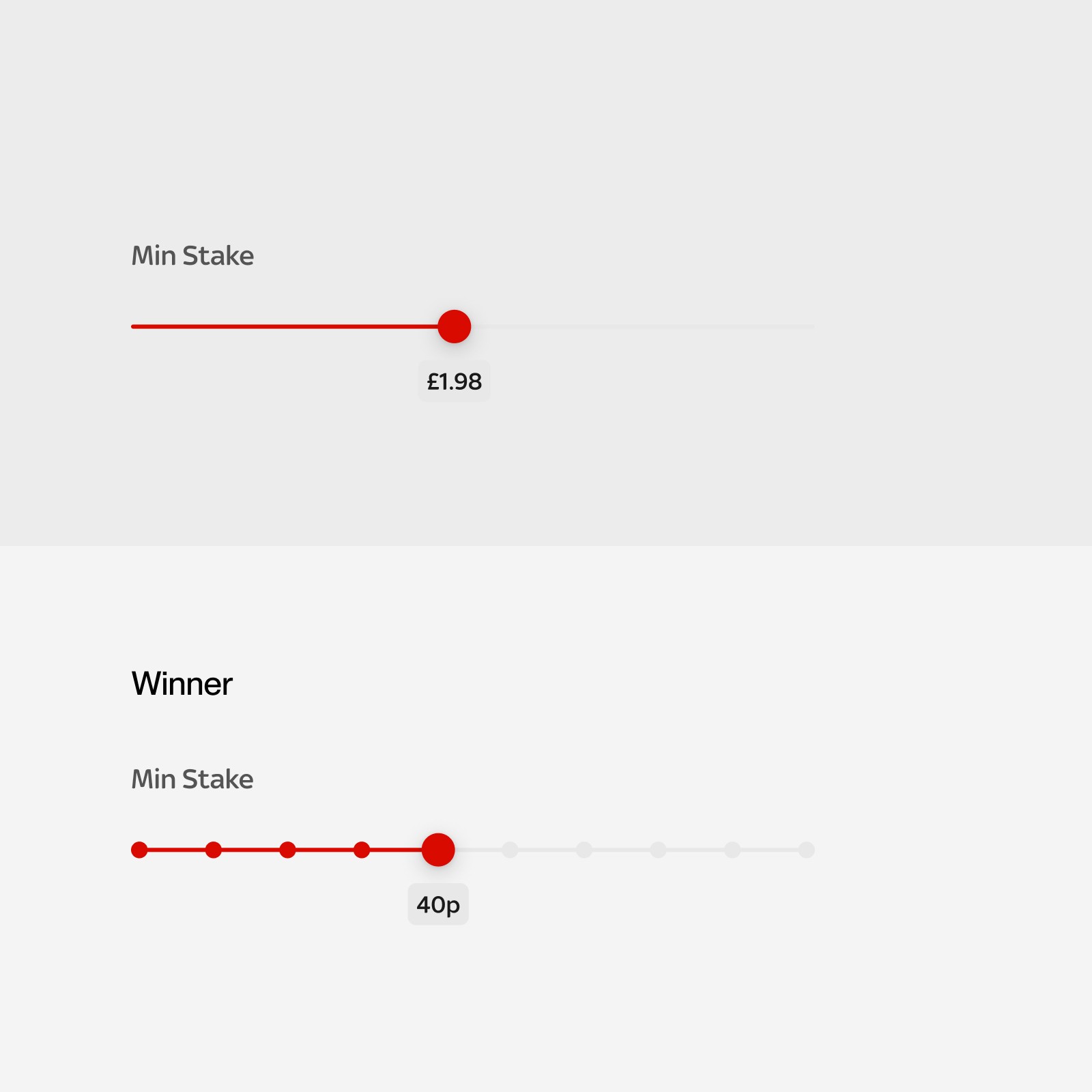
I initially had this as a linear slider that went from 1p to £10, going up 1p at a time. However, I found that our games go up in an incremental staking pattern, starting from 5p 10p 20p 40p and so on. I wanted to implement this pattern into the filter to give users a similar experience. I did a small preference test to see if users prefered this and also understood it.
Results
The heavy majority preferred this pattern to filter staking amount, quoting that they found this more convenient, this helped shape this design decision.
Handover
Throughout the process engineers were involved to provide feedback on context of the restraints and how viable certain ideas and implementation was. When we reached the end of the project there was clarity on functionality and implementation.
I provided regular design reviews on their stand ups with the engineers and their progress and demos. I found this beneficial to work closely with them to foster relationships with the team, benefiting the project outcome. The project has been released in phases with the new tech stack applied and UI design and the filter and sorting functionality will be the next phase to be released.

Let's connect, you can find me here.
Matthew Gledhill — Copyright © 2026